
Every AI user has experienced this - you spend an afternoon collecting the perfect dataset, then a month later you cannot remember how. Ookbook solves this by embedding collection instructions inside the data itself - a plain markdown file that knows how to refresh itself.
You spend a good few hours getting exactly the right list of competitors, vacancies or tenders. Your AI agent gathers the data together into a neat table and you paste it into a document. Job done. A month later you need it again - and discover the instructions disappeared with the chat thread you closed five weeks ago.
The data wasn't the hard part. Remembering how to reproduce it was.
Ookbook is a simple idea to fix that. Each dataset is a plain markdown file that carries not only the data, but the instructions needed to reproduce it.
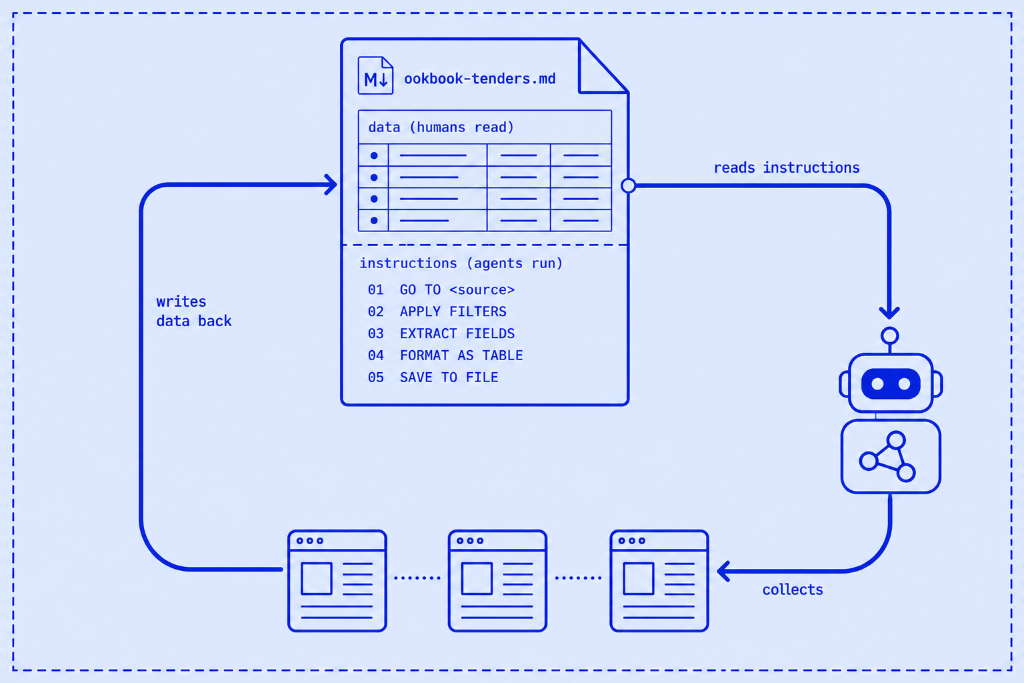
When AI agents first started browsing the web, collecting data felt almost magical. Give them a prompt and they'd return a neatly formatted table in minutes. But useful work is rarely a one-off. The real value comes from running exactly the same collection next week, next month, or next quarter, using the same sources, filters and output format. Chat windows aren't built for that. Once the conversation disappears, so does the process.
I recently scanned public discussions about AI tools, and one frustration appeared again and again: people wanted to monitor something over time, but every refresh meant rebuilding the same prompt from scratch. Anyone can ask an AI to scrape a website once. The useful output is something that knows how to recreate itself.
That is what Ookbook is.
One markdown file holding two things: the data you collected, and the exact steps to collect it again. No application. No subscription. No workflow engine. Just a text file.
Under the hood it is simply a template file and a kickoff prompt. You paste both into a browsing agent (Claude with the Chrome extension is the reference implementation, but anything that can read web pages and write a file will do), answer a few questions, and save the completed markdown file.
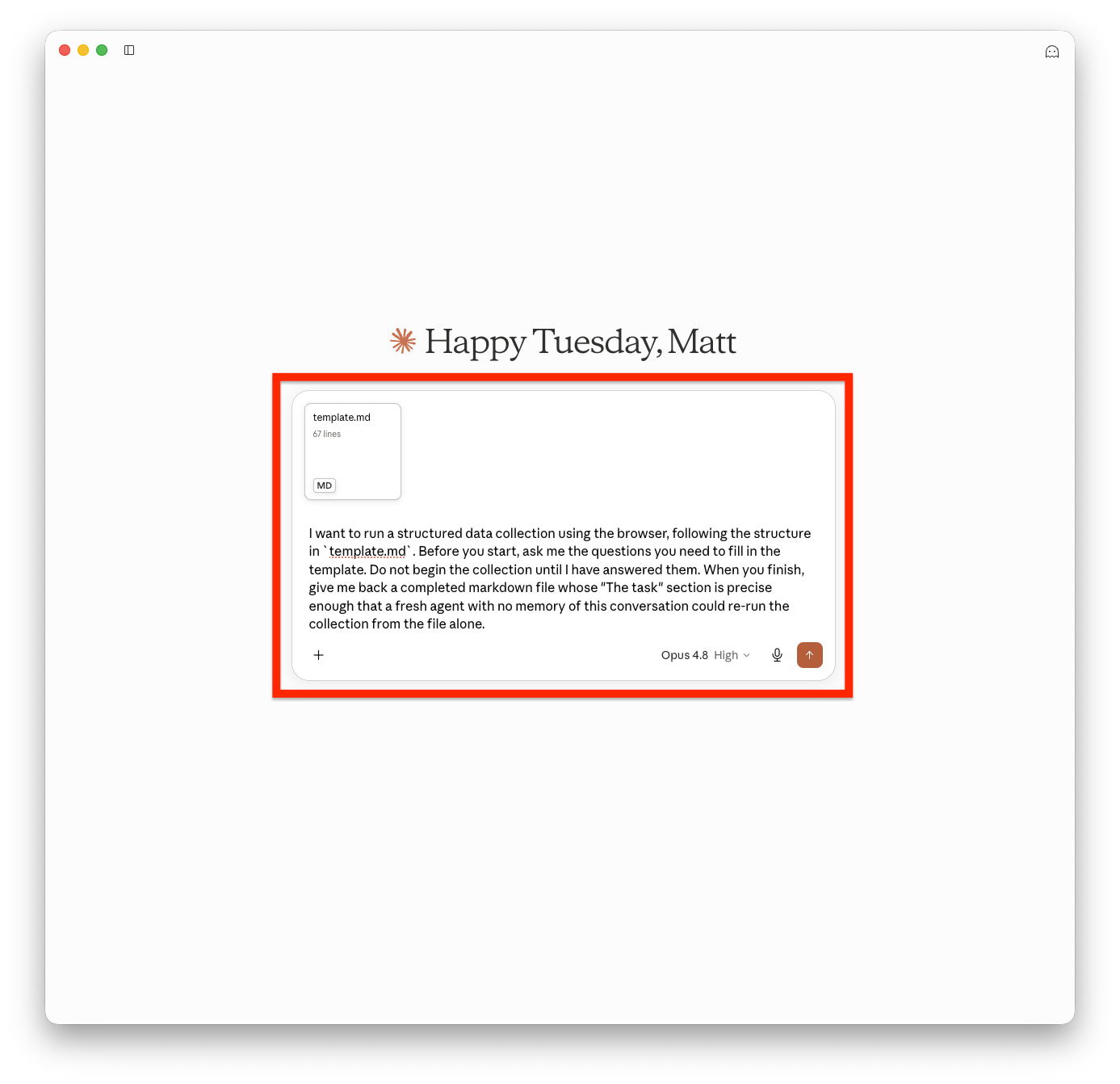
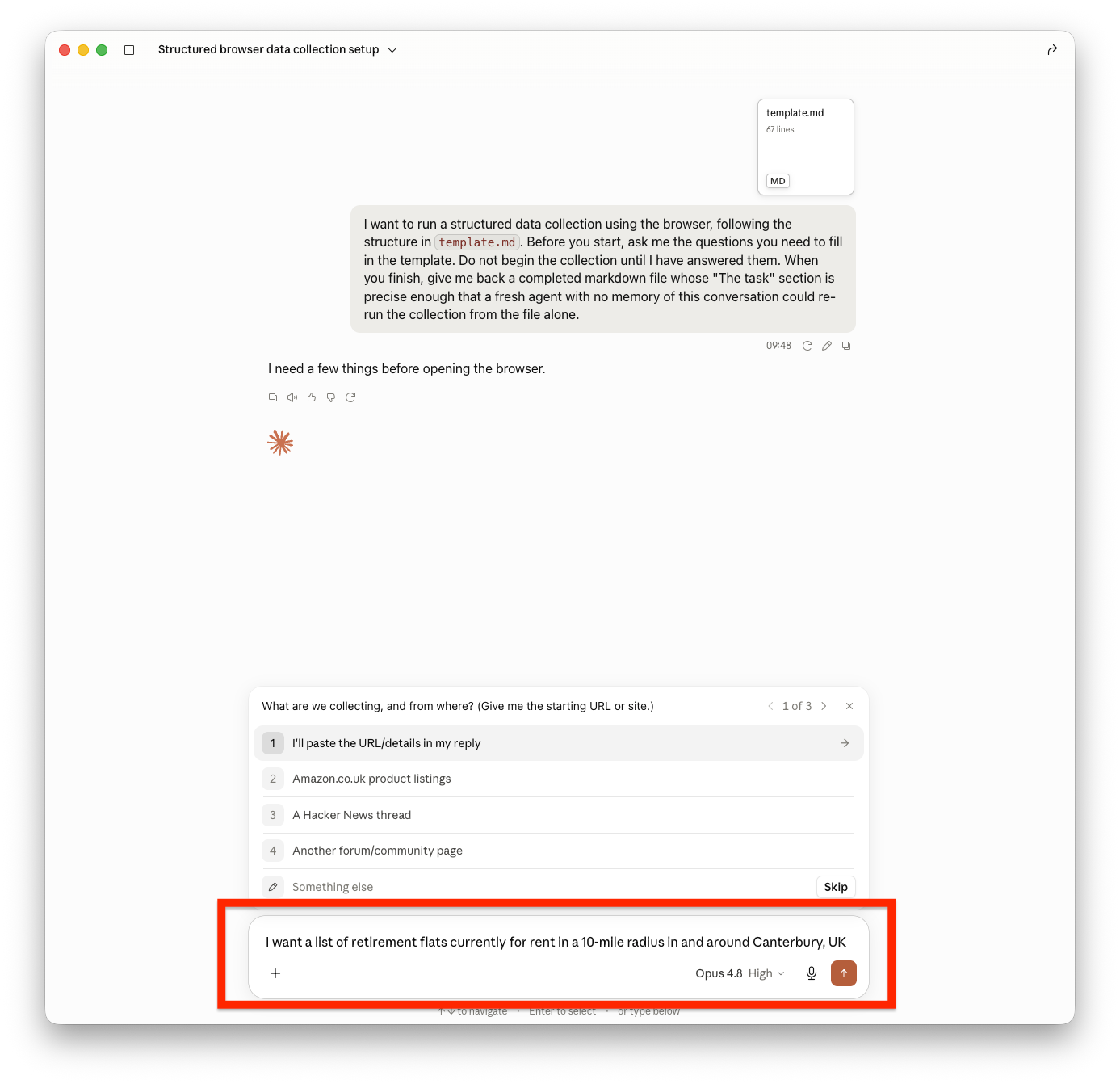
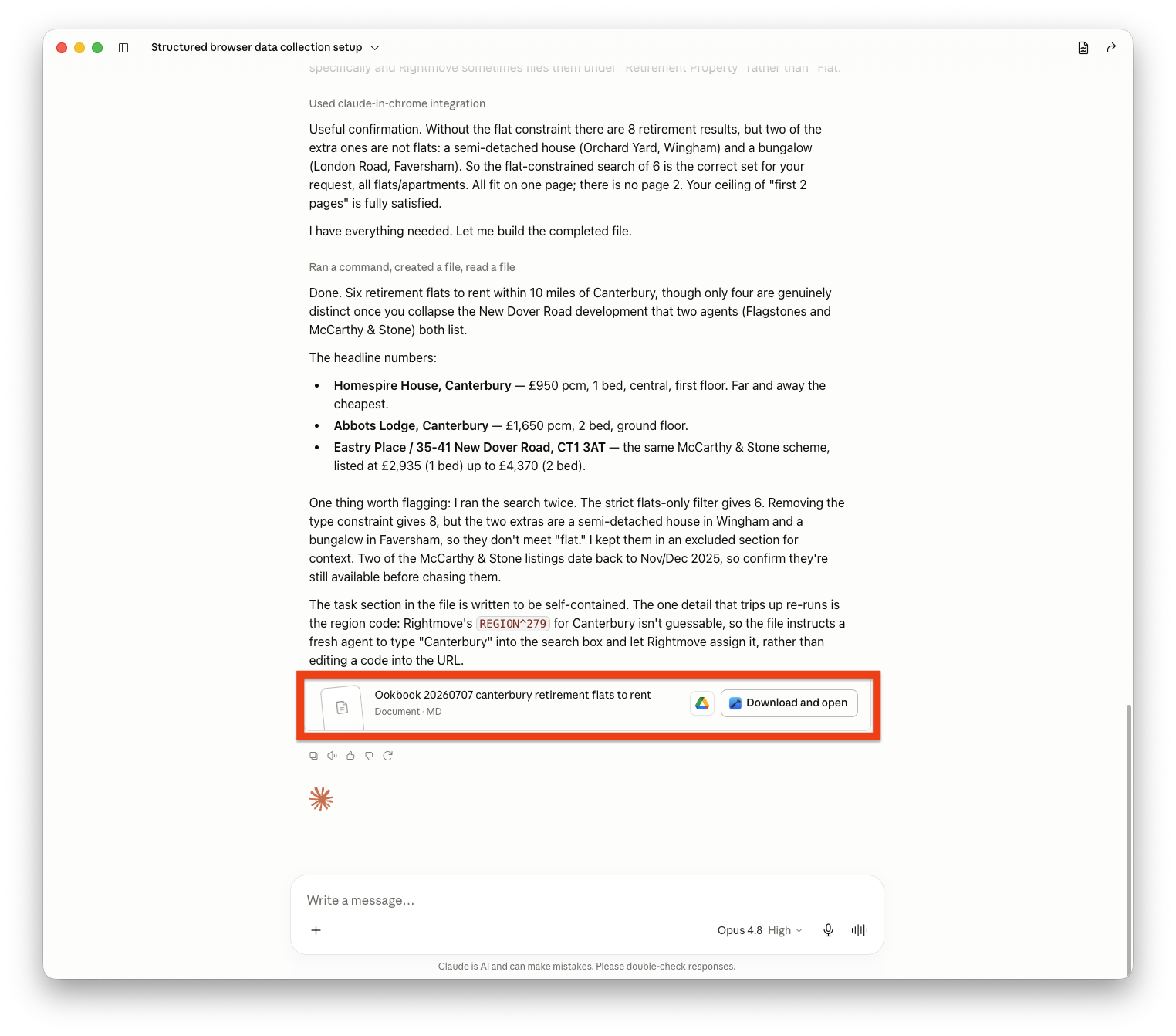
Imagine you're an independent consultant tracking framework tenders.
The first monthly search takes forty minutes of clicking, filtering and copying into a spreadsheet. The second gets squeezed by client work. The third never happens. The problem isn't collecting the data. It's remembering exactly how you did it.
An Ookbook becomes that memory. Everything needed to recreate the dataset lives beside the data itself. Refreshing it becomes a thirty-second task instead of another afternoon spent rediscovering your own process.
The market scan I mentioned earlier is itself an Ookbook. When I wanted to understand the jobs people ask AI to perform, the resulting file contained both the findings and the instructions that produced them. Next quarter I'll hand the same file back to an agent with a one-line prompt and get an updated report using the same search strategy, scoring criteria and exclusions.
Some websites make this harder than others. LinkedIn and Amazon don't welcome automated collection, layouts change, and anti-bot measures evolve. An agent controlling a real browser (e.g. Claude Desktop with the Chrome extension) can often work around those problems by navigating pages like a human, but collections will inevitably drift as websites change.
Ookbook doesn't solve the discipline problem of remembering to check something every month. But it does lower the cost of the habit far enough that it might survive during a busy week.
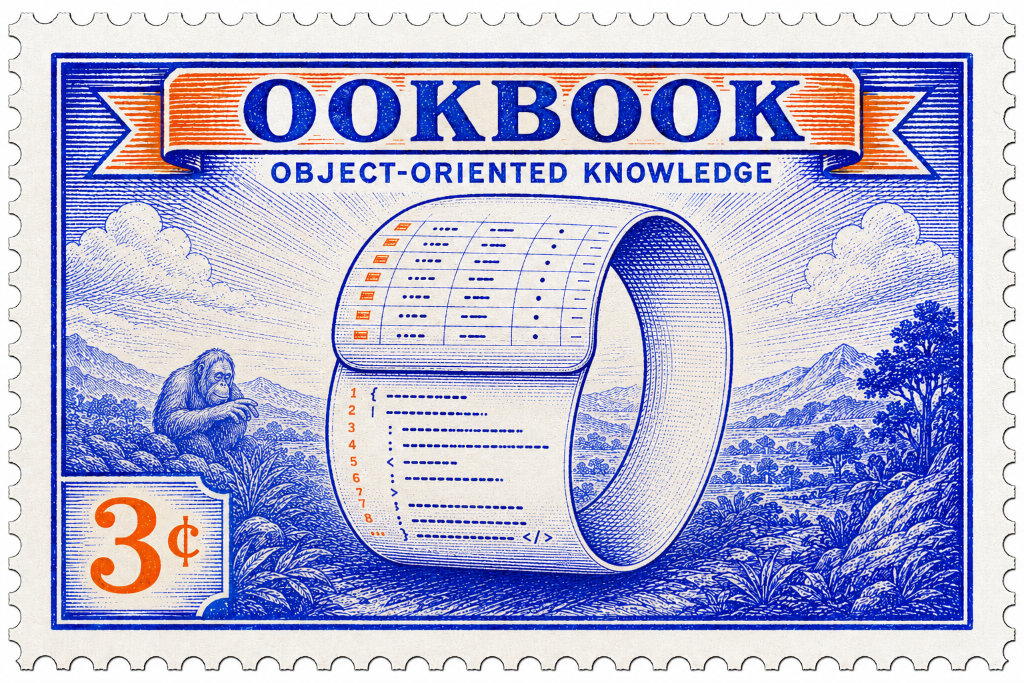
The idea comes from object-oriented programming (OOP), where an object combines data with behaviour. An Ookbook does the same. Humans skim the data. AI agents read the instructions. The file isn't just information - it's information that knows how to refresh itself.
"Object-oriented knowledge" quickly became OOK. From there it wasn't a long leap to Terry Pratchett's Librarian, happily swinging through the stacks collecting information for me. Oook.
Full instructions are free on GitHub - ready to be downloaded and used today. Point the template at something you've been meaning to keep an eye on and see how far a single markdown file can get you.
If that monitoring task grows beyond one desktop - where the data informs group decisions, or multiple people depend on it - a single file stops being enough. That's a harder problem, and it's the one I spend a lot of my time working on. Let's talk.
If you would like to find out more about working effectively with AI, please do get in touch.