
When Andrej Karpathy published his notes-to-wiki experiment, it crystallised something I'd been building toward for months. This post is about migrating a messy collection of notes into a plain markdown structure - and what happens when you hand an LLM the keys.
This week Andrej Karpathy published a post and a follow up Gist detailing how he had instructed an LLM to analyse his notes and build a structured wiki from them: "...a large fraction of my recent token throughput is going less into manipulating code, and more into manipulating knowledge". He cites Vannevar Bush's Memex thought experiment - as detailed in As We May Think (1945) - which is where I got the idea for my company name from (in the essay, Bush describes hyperlinks as "associative trails").
The whole exercise struck a chord with me, and not just because of the Bush reference. After reading Tiago Forte's book "Building a Second Brain" in January, I had been moving my messy collection of notes, documents and half-written ideas into a vague structure. I had decided that migrating notes out of Apple Notes and Bear into markdown files contained in some sort of organised folder structure was a good idea. What crystallised it for me was a demonstration by Vin Verma on Greg Isenberg's YouTube channel - once these notes are in markdown format (basic text with minimal formatting), an LLM can do work on them. Vin's example of asking Claude Code to go back through his years of diary logs to track how his thinking on a particular subject has evolved completely blew my mind.
Most notes applications use proprietary formats, have no consistent structure, and are unreadable by a plain LLM without a pipeline in between (Bear keeps notes in markdown but you cannot easily access the individual files). They are also siloed across multiple applications and websites. Migration away from these constraints to plain markdown files stored in the filesystem opens all sorts of possibilities - they are cat-able, grep-able and can fit in an LLM context window without preprocessing. The markdown format allows basic links between files, meaning there's a traversable graph. Folder structure and consistent file naming creates an implicit schema that an LLM can understand.
My Memex folder structure is loosely based on Forte's PARA method - with an inbox, projects, areas, resources, archives. I have added a few of my own - playbooks and agent context. The main change in my daily routine is the log files - daily logs of todos and notes that I then compile into weekly summaries that include logs, reading lists, LLM-generated summaries of Git commits and ongoing project statuses.
# contains daily/weekly log files and anything temporary
/00. Inbox/
    wc 2026-02-23.md
    ...
    wc 2026-03-30.md
    wc 2026-04-06.md
    2026-04-13.md
    2026-04-14.md
    2026-04-15.md
    2026-04-16.md
    AGENTS.md

# Stuff I'm actively working on
/01. Projects/
    Blogs/
        2026-04-02 Human in the loop/
            brainstorm.md
            first-draft.md
        2026-04-09 The agreement incentive/
            brainstorm.md
            first-draft.md
        etc.
    Client work/
        Project 1/
            goals.md
            communications.md
            etc.
        Project 2/
        Project 3/
    Courses/
        Learning Typescript/
            Module01.md
            Module02.md
    Personal projects/
        US Sports dashboard/
        Bulk data labelling/
        Virtual advisory board/

# Long-term responsibilities
/02. Areas/
    Career/
    Finance/
    Health/
    Parenting/
    Personal development/

# Topics of interest that may be useful in the future
/03. Resources/
    Design and UX/
    Development/
        AI and agents/
        Django/
        Docker/
        Javascript/
        Python/
        etc.
    Magazines/ # Clips/notes on reading
        New Scientist/
            2026-02-NewScientist.md
            2026-03-NewScientist.md
        New Statesman/

# Where I dump LLM-generated stuff to then transfer elsewhere
/04. Research/

# A collection of annotated processes for business and personal tasks
/05. Playbooks/
    Invoice day work plan.md
    Proposal quality assessment.md
    Quarterly books work plan.md
    HMRC self assessment work plan.md

# Inactive items from the other categories
/90. Archive/
    Daily logs/

# Instructions for LLMs
/98. Agent context/
    Associative Trails/
        branding-guidelines.md
        project-walkthroughs.md
        client-profiles.md
        associative-trails-profile.md
    Associative Intelligence/
        linkedin-post-guidelines.md
        technical-post-writing-style.md
        think-piece-writing-style.md
    Personal/
        skills/
            fund-analysis.md
            discount-code-hunter.md
        interests.md

AGENTS.md  # The file that tells LLMs the file structure and other context
The key is the AGENTS.md files. These are plain English descriptions of how the notes are organised, or specific instructions, written for an LLM to read as a system prompt. An example extract:
If I ask you to do something pertaining to my daily or weekly workflows
(like check product prices, or start a new week, or give me content ideas,
or analyse a paper) - the context is in /00. Inbox/AGENTS.md. Go look now.

Otherwise, look in the directory: /98. Agent context/ for the context
for various different requests.
The AGENTS.md file in /00. Inbox/ includes instructions for specific actions - like "give me content ideas" or "analyse a paper" - that tell the LLM to look in the relevant weekly log file for context, and then produce an output.
## Give me content ideas for...
If I don't specify a particular week, choose this week. Then go through the weekly log and analyse the themes, subjects, recurring things.
Follow links to web sites or markdown notes files to fully understand each item. Make sure you include the daily lists, as well as the "Coding summary" section.
Do not consider stuff in the "Stuff to read/watch", "Stuff to do for clients", "Waiting on stuff from clients" lists.

Then suggest 10 ideas for the type of content I asked for. Make the content suggestions relate to one of the context files found in the "/98. Agent context/" directory.
If I do not specify a context, use the "/98. Agent context/Associative Trails/associative-trails-profile.md" file to give you an idea of the audience that I want the content ideas aimed at.
If I do not specify a type of content, assume I want to write a blog/LinkedIn post - which could be an opinion/think piece or a technical note.
Add your ideas as bullet points to the "Content ideas" section of the weekly log. Use a bullet point for each idea.

## Coding summary
If I ask you for a coding summary, I want you to look at all the Github repositories for the projects you can find referred to in the Associative Trails overview (/98. Agent context/Associative Trails/associative-trails-profile.md) agent context, run diffs for commits to the main branches during that week, prepare a brief summary for each commit you can find (apart from tiny ones), and add your summary of each new feature to the "Coding summary" section of the weekly log. Use a bullet point for each feature.
This isn't a technical summary - I want you to include what this update enables the user to do that they could not do before.
- How does this improve the product?
- What are the main selling points of it? What will it enable in the future?
If I don't specify a particular week, choose this week.
DO NOT ADD OR COMMIT CODE TO ANY OF THESE REPOSITORIES.

## Analyse a paper
If I provide you with a PDF to analyse, the first thing to do is write a summary of the main points.
Then ask me a few questions about what I am particularly interested in before you write me an analysis.
Then compile a downloadable markdown file - with the title of the paper, the abstract copied from the paper, the summary you initially wrote, then your analysis.
In the markdown file, include Obsidian frontmatter for the date of the paper (default to todays date) and the link (if I have given you a URL to the PDF)
This means that I can open Claude Cowork (or Claude Code) in the Memex root directory, ask for a coding summary, and Claude will look in my agent context files to find all my Github repos, run diffs on recent code commits, and write feature descriptions into my weekly summary file. Ask for content ideas and Claude goes through my weekly notes log, considers my target audience, and gives me a bunch of potential ideas. The first time you run this prompt and get a properly useful list of developed content ideas is astonishing.
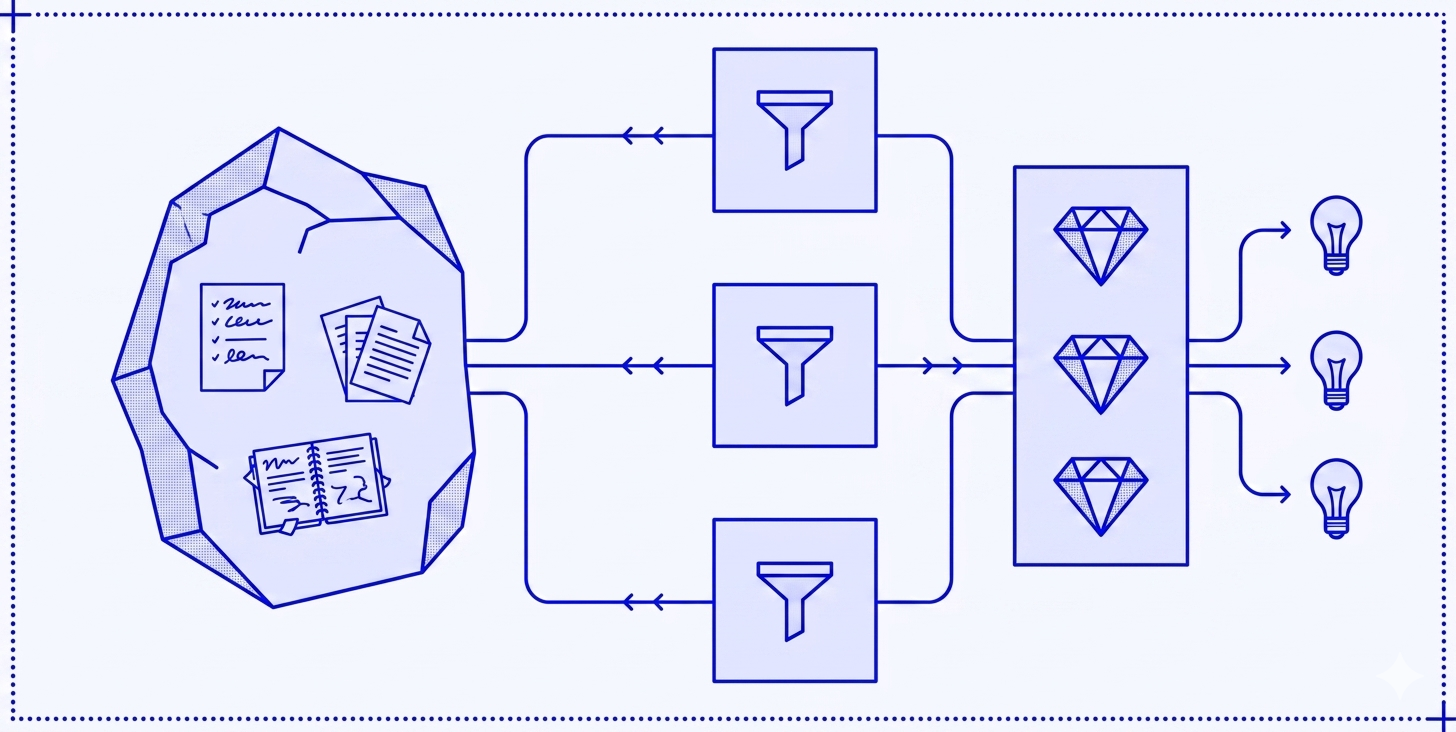
It all feels pretty thrown together, quite skunk-worksy. But it is analogous to Graph Theory - markdown files as nodes, links as edges, folders and filenames as schema. The LLM is the query engine - but it isn't a retrieval system, it's a context engineering system. I have built the exact context the LLM needs, and each new node or edge improves every query that follows.
While this is incredibly useful on a personal level, as someone who has built a number of bespoke intranets for companies of various sizes I'm not yet sure how much of this will be applicable in the corporate context. The problem is the same at scale - years of accumulated documents in proprietary formats, poorly structured, not queryable without a pipeline. It may be that it not being "proper programming" makes me uneasy - but our agentic coding future probably means I won't be doing a great deal of that moving forward anyway. There are no quality controls and it's unclear how multiple people could collaborate. The portability that having the whole thing in a Github repo gives is great for me wanting to keep my second brain up to date across devices, but is a nightmare for corporate data security where a disgruntled employee could walk out with a thumb drive full of markdown files. But the potential is huge - the first steps are probably making existing intranet content available in markdown format to use as context for agents. Definitely something to watch.
The whole exercise has been hard work but the results are already well worth it, and I'm making tweaks to improve things all the time. But this only works if the notes contain enough knowledge to be worth spending LLM tokens on. Migrating to markdown was the forcing function - deciding on a structure and a knowledge capture strategy has helped me see the value. I now write a lot of notes based on the newsletters and articles I read, YouTube videos I watch, podcasts I listen to. The notes were always worth keeping. Now the LLMs have something to manipulate.
If you would like to find out more about working effectively with AI, please do get in touch.